Price Tag FX field guide
How to scan foreign price tags with an iPhone
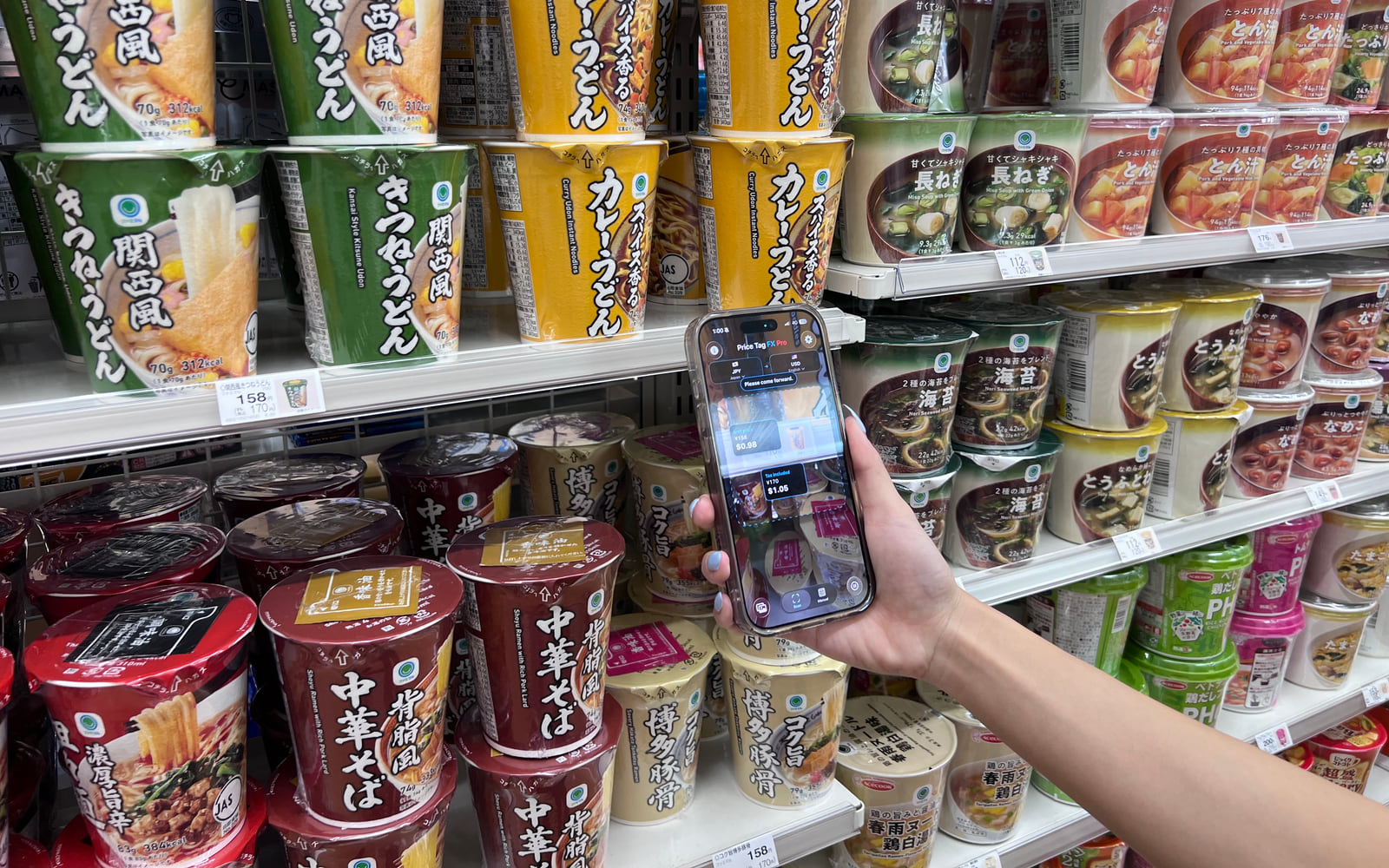
Price Tag FX lets you choose the market where you are shopping, point your iPhone at a visible price tag, and see the app’s best estimate of the printed price, its likely retail role, and a conversion into your chosen currency. You can pause the live camera for a steadier read or choose an existing photo. The OCR and price parsing are helpful rather than authoritative: difficult lighting, unfamiliar layouts, membership conditions, tax labels, and stale exchange rates can all affect the result, so confirm the amount shown by the store at checkout.
Set the shopping context before you scan
A currency symbol is not always enough to identify a market. The dollar sign is used by several currencies, and a shelf card may show a regular price, a member price, a unit price, or a tax-exclusive amount at the same time. Price Tag FX therefore starts with a source market rather than asking you to point at an anonymous number. A market combines the country, expected source currency, and a local price-term language used by the parser.
Set the target currency to the one you use for comparison at home. The source and target should be different for the scanner. The output-language choice controls the local labels that Price Tag FX uses for concepts such as tax included, sale price, and member price. It does not turn the app into a universal translator for every word on a package.
- Open the Scan tab and tap the source-market control.
- Choose the country where the tag is displayed, or explicitly request the optional current-location suggestion.
- Choose a different target currency for the converted estimate.
- Choose the output language in which you want recognized price-term labels displayed.
- Location is optional and is used to suggest a country and currency, not to identify a particular store.
- Manual market selection remains available when location permission is denied or the suggestion is wrong.
- The scanner’s language hint follows the selected market; it is not a separate universal source-language detector.
Frame one tag, then decide whether to freeze
Hold the phone steady and give the tag enough space in the viewfinder for the printed characters to remain sharp. Reflections from plastic shelf rails, tiny superscript tax amounts, stylized fonts, and product barcodes can compete with the price. Moving closer is not always better: leave enough of the surrounding label visible for the parser to associate a number with words such as sale, regular, tax included, or member.
Live mode repeatedly examines camera frames. If the result flickers or a small secondary price is difficult to read, use Freeze. Freeze pauses the current frame and runs the more accurate OCR path. If you already took a useful picture, choose Photo and process that still image instead. Imported photos use the accurate path too, although revealing a detected result still follows the app’s current free-or-Pro access decision.
- Aim at one shelf label or hanging tag rather than an entire aisle.
- Keep the phone parallel to the tag to reduce perspective distortion.
- Wait briefly for a stable price card instead of reacting to the first flicker.
- Tap Freeze if small text or multiple amounts need a steadier inspection.
- Tap Photo when a saved image is clearer than the live camera view.
- Bright, even light usually helps more than digital zoom.
- A visible currency mark or code gives the parser stronger evidence than a bare number.
- Keep membership, tax, and sale wording in frame when it belongs to the price.
Read the result as a ranked interpretation
Price Tag FX extracts currency-marked numbers, looks for nearby retail terminology, rejects some barcode-like noise, and ranks the remaining candidates. The highest-ranked amount is displayed as the likely primary price. A second price may also appear when the label clearly contains more than one useful amount. This ranking is designed to favor strong signals such as a tax-included or sale price, but no camera app can know a store’s checkout rules from pixels alone.
Pay attention to the title above the amount. Final price, tax included, tax excluded, sale price, regular price, member price, and unit price describe different conditions. Warnings matter: a tax-exclusive amount may rise at checkout, and a member price may require a card, account, app, or other qualification. A converted figure is an estimate based on the cached reference rate available to the app, not a quote from your bank or card issuer.
- Treat a high- or medium-confidence result as a useful lead, not a guarantee.
- Compare multiple visible prices and read any membership or quantity condition beside them.
- If the app labels a price as tax excluded, look for the tax-included total elsewhere on the shelf card.
- At checkout, compare the register amount before relying on the converted estimate.
Know what happens on device and what needs a service
Camera frames and selected-photo pixels are processed by the app’s on-device OCR path. Local dictionaries classify recognized price terminology. Optional product-title translation is separate: it uses Apple’s Translation framework only when the relevant source and target languages are already installed, and it may be omitted entirely. A missing product title does not prevent local price-term parsing or currency conversion. Product-title translation requires iOS 26 or later.
Exchange rates are downloaded from Frankfurter and cached on the phone. Once a usable snapshot exists, a covered currency pair can be converted without a new request. The app also uses Firebase Analytics and Crashlytics for product analytics and reliability, so the accurate privacy statement is that scan images and OCR content are not sent for cloud OCR—not that the app never communicates with any service.
- No first-use cache means no offline conversion yet.
- A cached rate may be older than the rate used by a card network or exchange counter.
- Product-title translation can disappear when an Apple language pair is unavailable or not installed. Product-title translation requires iOS 26 or later.
Source: Frankfurter exchange-rate API , Apple Translation framework
What this workflow cannot confirm
- OCR can confuse similar characters, miss a decimal separator, or select a nearby quantity instead of a price.
- Price roles are heuristic and cannot verify store-specific membership, coupon, bundle, or checkout rules.
- Local price-term resources cover 20 source and output languages; this is not a claim that the full interface or every product title is translated in those same 20 languages.
- Currency conversion requires a cached snapshot that covers the selected pair, and the displayed rate may be stale.
- Imported-photo result presentation remains subject to the current scanner access decision.
- The app does not implement a public inbound scan deep link, so websites should open the App Store rather than promise a pricetagfx scan route.
Troubleshooting
No price appears
Move closer, reduce glare, include the currency symbol, and try Freeze. If rates are unavailable, connect once and refresh before relying on offline conversion.
The wrong amount is ranked first
Reframe around a single shelf label and keep the words that identify sale, tax, membership, or unit pricing visible.
The converted amount is missing
Check the source and target currencies, open rate information, and download a fresh snapshot for the source currency.
A product name is not translated
Confirm that source and output languages differ and that Apple has the exact language pair installed. Price-term labels can still work without it.
Frequently asked questions
Does Price Tag FX know the final checkout price?
No. It interprets visible text and ranks likely prices. Coupons, membership, quantity requirements, tax treatment, and register rules can change the amount, so verify the checkout display.
Can I scan without allowing location?
Yes. Location is an optional market suggestion. You can choose the source market manually and use the scanner without location access.
Can I scan offline?
The on-device OCR can run offline, but currency conversion needs a previously downloaded cached rate covering the pair. A first-time or uncached pair may show no converted result.
Does the app translate everything on a package?
No. Local dictionaries translate recognized price concepts. On iOS 26 or later, a likely product title may be translated separately only when Apple’s installed Translation pair is available.
Take the workflow with you
Try Price Tag FX while you shop.
Free to try, with manual conversion and optional non-renewing Pro access.