Price Tag FX field guide
How to convert prices while shopping abroad
To convert a price while shopping abroad, set the country where the item is sold, choose your comparison currency, then either scan the tag or enter the amount in the Manual tab. Price Tag FX converts with a locally cached Frankfurter reference-rate snapshot when the currency pair is covered. The result is an estimate for orientation, not the amount guaranteed by a bank, card network, cash exchange, or merchant. Verify the original checkout price, review fees, and treat any offer to pay in your home currency as a separate decision.
Choose the right original amount before converting
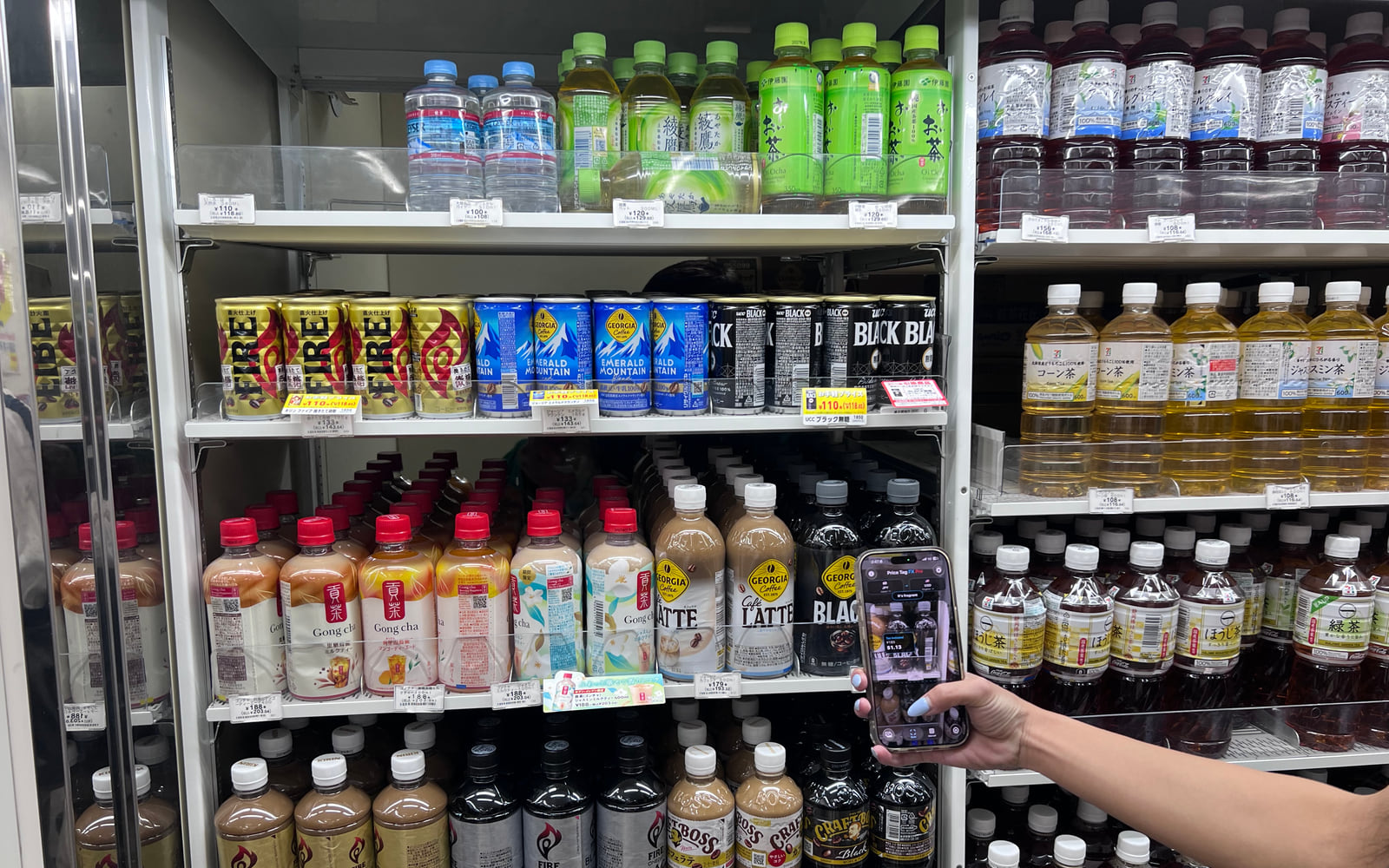
Conversion cannot correct a misunderstood price. First identify the amount that actually applies: tax included or excluded, regular or sale, member or public, unit or package, single item or multibuy. Price Tag FX’s scanner can rank these roles when the terms are visible, but the role remains a likely interpretation. If the tag is simple or you already know the amount, the Manual tab removes OCR from the equation.
Set the source to the currency printed by the store and the target to the currency you use for comparison. The scanner uses a source market because market context also supplies language hints. Manual conversion lets you choose currencies directly, while keeping source and target distinct. Avoid converting a bare number until you have checked decimal separators and minor units; 1.299 can mean very different amounts in different formats.
- Identify the likely payable amount in the store’s currency.
- Choose the local source market for scanning, or a source currency in Manual.
- Choose your home or comparison currency as the target.
- Scan the tag, freeze it, import a photo, or type the confirmed amount.
- Compare the original and converted values together.
- Manual conversion is available without a Pro entitlement.
- Photo and live OCR can fail on decorative fonts, glare, or crowded labels.
- A currency symbol such as $ can be ambiguous, which makes correct market selection important.
Understand what reference rate the app uses
Price Tag FX downloads rate records from Frankfurter and stores snapshots by base currency. The actual arithmetic happens locally with Decimal values. A snapshot can convert directly from its base or cross-convert between covered currencies through that base. If the source and target are the same at the service level, the mathematical rate is one, although the Manual interface intentionally keeps its two selections different.
At launch, the app warms rates for the scanner’s source market. If a complete usable cache is within the 12-hour refresh window, it avoids another fetch for that base during the session. Older data triggers a best-effort network refresh; if the network fails, the app can fall back to a cached snapshot. Rate status becomes cached after the fetch day and stale at 14 days, but a stale covered snapshot can still produce a clearly dated estimate.
- Connect before a trip and let the app obtain an initial rate snapshot.
- Open rate information to inspect freshness before an important purchase.
- Use manual refresh when needed and when the current access policy permits another attempt.
- If offline, continue only when the pair is covered and the age is acceptable to you.
- Free users receive one manual refresh attempt per rolling 24 hours.
- Paid access reduces the manual-refresh cooldown to 30 seconds; it is not an unrestricted continuous live-rate stream.
- A failed refresh attempt can still consume the current cooldown because the limiter records the attempt before the request finishes.
Compare the estimate with your payment choices
A reference conversion answers a planning question: approximately what is this foreign amount in a familiar currency? It does not answer what a specific card will post. The issuer may use another rate date, add a spread, charge a foreign transaction fee, or process a later adjustment. Cash exchange counters and travel cards also have their own pricing.
A merchant may offer dynamic currency conversion, where the terminal converts the purchase into your home currency. That merchant-presented rate and any markup are separate from the Price Tag FX estimate. Read the terminal’s exchange rate and fee disclosure before choosing. The app does not recommend a payment currency and cannot know your issuer’s terms, so compare the available information rather than treating the phone estimate as a guaranteed saving.
- Confirm the register total in the store’s currency.
- Check whether the terminal is offering the local currency or a home-currency conversion.
- Review your card’s foreign transaction and exchange-rate terms.
- Use the app estimate as a reasonableness check, not a binding quote.
- Reference rates can differ from retail payment rates.
- Merchant conversion may include a markup or additional fee.
- Pending and posted card amounts can differ because of timing and adjustments.
Create a low-friction travel routine
Before leaving reliable connectivity, open the app, set the first destination market, and confirm that rates are available. In a store, scan when the tag has unfamiliar price roles and use Manual when the payable amount is already clear. Save Freeze for small or crowded text and Photo for a picture you can inspect away from the shelf. None of these modes replaces a checkout check.
For larger purchases, record the source amount, rate date, and any payment-provider disclosure. A small difference may be normal, while a large difference can reveal that the wrong price role, currency, quantity, or merchant conversion was selected. The most valuable use of the app is not perfect prediction; it is making foreign prices understandable enough to pause and verify before committing.
- Warm the cache before the trip or shopping day.
- Scan for context; use Manual for a confirmed amount.
- Check rate freshness on higher-value purchases.
- Verify the register total and payment currency.
- Keep receipts for later comparison with the posted charge.
What this workflow cannot confirm
- Price Tag FX provides estimates, not executable foreign-exchange quotes or financial advice.
- Not every selectable currency necessarily has current provider coverage at every moment.
- Offline conversion works only after a usable snapshot has been downloaded for a covered pair.
- The app does not know card spreads, merchant markups, exchange-counter commissions, or foreign transaction fees.
- OCR and price-role interpretation can choose the wrong original amount.
- Verify checkout and payment-provider disclosures before relying on a conversion.
Troubleshooting
Manual conversion says the rate is unavailable
Connect, refresh the source base, and confirm that the provider currently covers both currencies.
The scanner conversion is much higher than expected
Check that the correct source market, currency, decimal separator, package amount, and price role were selected.
The app and card statement differ
Compare rate dates, issuer spread, fees, merchant conversion, and the original posted local-currency amount.
Refresh is temporarily blocked
Wait for the free 24-hour interval or paid 30-second cooldown. The limit applies to attempts, including a request that later fails.
Frequently asked questions
Is manual conversion free?
Yes. Manual conversion itself is not behind the Pro entitlement. Manual rate refresh is limited to one attempt per rolling 24 hours for free users.
Does Pro provide a constantly streaming live rate?
No. Paid access allows repeated manual refresh attempts with a 30-second cooldown. The app converts locally from the latest cached snapshot.
Can I use the app without data roaming?
Yes for OCR and a currency pair already covered by a cached snapshot. Download rates before losing connectivity and inspect their age.
Will the app tell me whether dynamic currency conversion is a good deal?
No. It can provide a separate reference estimate, but you must compare the merchant offer, fees, and your issuer’s terms yourself.
Take the workflow with you
Try Price Tag FX while you shop.
Free to try, with manual conversion and optional non-renewing Pro access.