
Price Tag FX field guide
How to understand Japanese price tags while shopping
Japanese shelf labels often place several yen amounts and short retail terms close together. Price Tag FX can use Japan as the source market, recognize visible yen-marked amounts, match common local price terms, and rank a likely price for conversion. Look for labels such as 税込 for tax included, 税抜 for tax excluded, 通常価格 for regular price, 特価 for a special price, and 会員価格 for a member price. These are contextual clues, not a checkout guarantee; store conditions, quantity rules, and OCR mistakes still require verification.
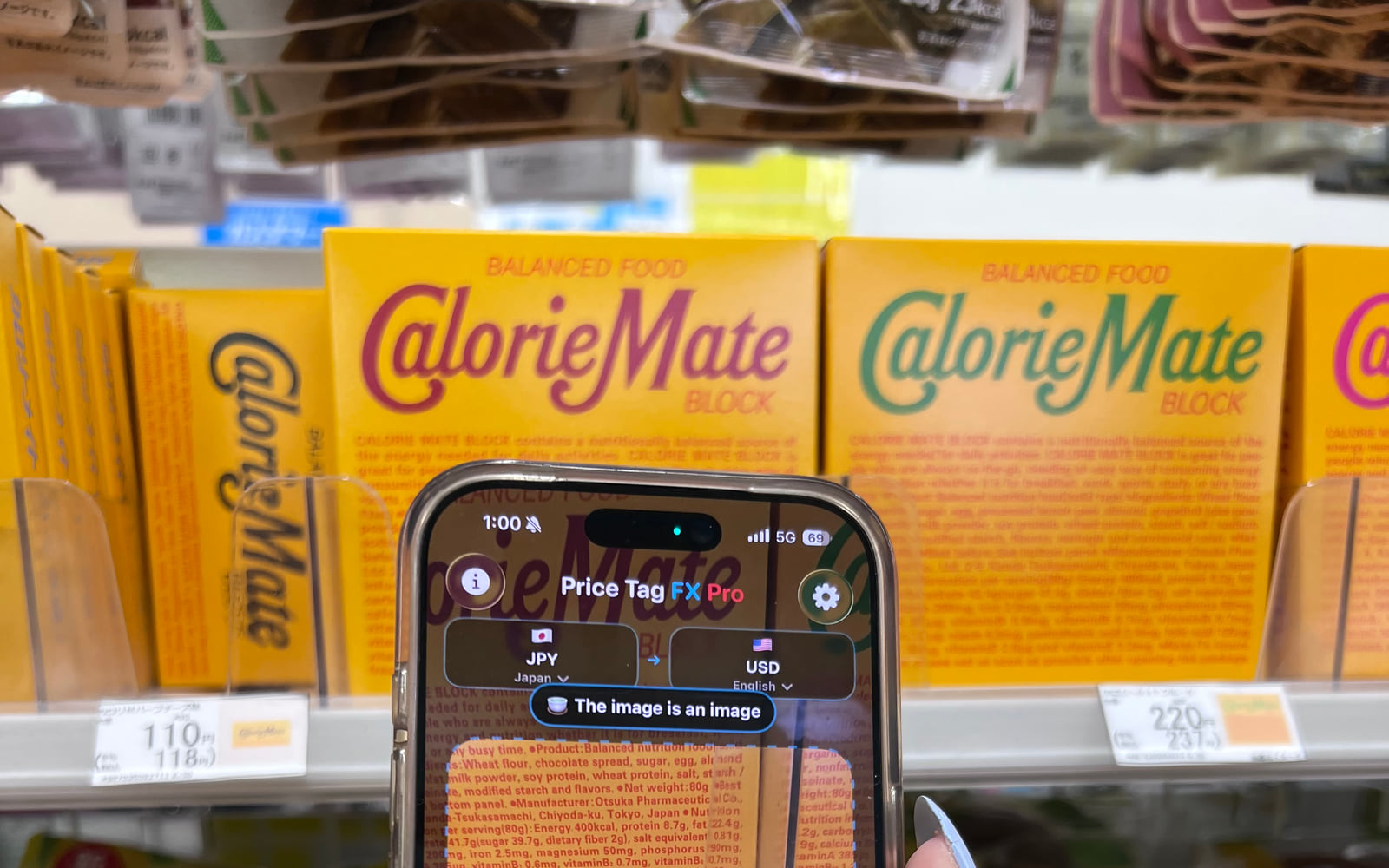
Start with the visual structure of the shelf label
A large number is not automatically the amount you will pay. A Japanese tag can show a large tax-exclusive base price beside a smaller tax-included total, or place a promotional price next to a regular reference price. Other cards include a per-100-gram amount, a points value, or a member-only figure. The size and color of the type are useful clues, but the words next to each number are usually more reliable than typography alone.
Yen may appear with ¥, ¥, JP¥, the currency code JPY, or the character 円. Price Tag FX looks for explicit currency evidence and nearby terminology because bare digit strings can also be barcodes, product codes, weights, dates, or quantities. Keep the whole price block visible so the app can connect a number to its label rather than reading a cropped number in isolation.
- Select Japan as the source market so the scanner expects JPY and Japanese price terminology.
- Frame the shelf card, including the words immediately above, below, or beside the amounts.
- Wait for the likely primary price and any secondary price card to settle.
- Compare the app’s label with the original Japanese term before making a purchase decision.
- 税込 or 税込価格 points toward a tax-included amount.
- 税抜, 税別, or 本体価格 points toward a tax-exclusive or base amount.
- 通常価格 usually identifies a regular reference price.
- 特価, セール, or 割引 can indicate a special, sale, or discounted price.
- 会員価格 can require membership or another eligibility condition.
Use the app’s ranking without hiding the alternatives
The parser gives different price roles different priorities. A clear tax-included or sale amount can outrank a regular or unit price. When a plausible Japanese base-and-tax pair appears, the app can use the relationship between the values as supporting context. It can also warn when the leading amount appears tax exclusive or member restricted. This is useful when the tag is dense, but it remains a probabilistic interpretation of OCR text.
If two cards appear, do not assume the larger converted card is always the payable amount. Read the role attached to each. A smaller member price may require a loyalty card; a unit price may describe 100 grams rather than the entire package; a regular price may be shown only to compare with a temporary sale. The register and the store’s terms remain authoritative.
- Final price or tax included is usually the best candidate to compare with checkout.
- Tax excluded means the final amount may be higher.
- Member price means eligibility may be required.
- Unit price is useful for comparison but may not be the package total.
- Estimated discount means the app derived a figure from visible percentage wording and a base price.
Source: Japan National Tax Agency: total-price display guidance
Translate price meaning, not every product label
Price Tag FX ships local Japanese price-term resources. When it recognizes a supported concept, it can display that concept in one of 20 output languages. For example, 税込 can be presented as the chosen language’s equivalent of tax included. This local mapping does not need Apple Translation and is intentionally narrower than general translation because retail meaning is the focus.
The product name shown above a scan result follows a different path. The app first chooses a likely product-title text block, excluding strings that look like prices, addresses, company details, or codes. If the Japanese-to-output-language pair is already installed in Apple’s Translation framework, the title may be translated on device. If the pair is missing, unsupported, or the text candidate is weak, the product title is omitted. The price can still be parsed and converted. Product-title translation requires iOS 26 or later.
- Choose an output language for the app’s recognized price-role labels.
- Keep a short, clear product title in view if product context would be helpful.
- Treat the product-title translation as optional context rather than proof of the exact product or variant.
- Twenty price-term languages does not mean the entire app interface is localized in those exact same languages.
- It also does not guarantee that Apple Translation supports or has installed every source-target pair. Product-title translation requires iOS 26 or later.
- Original packaging details such as flavor, size, allergens, and preparation instructions are outside the app’s price-focused promise.
Source: Apple Translation framework
Build a reliable in-store verification habit
Use the scan as the first pass in a short decision process. Confirm that Japan and JPY are selected, inspect the original amount and price role, compare any second amount, then review the converted estimate. When the shelf card contains a quantity condition, a points campaign, or a member logo, assume an extra rule exists until the store confirms otherwise.
At the register, compare the yen amount first. The converted value is a travel-budget estimate based on a reference rate cached by the app. It will not include a card issuer’s spread, foreign transaction fee, cash-exchange commission, or a merchant’s dynamic currency conversion offer. Photographing a confusing tag for a second read can help, but selected-photo results remain subject to the same access policy as scanner results.
- Confirm the yen amount and price role on the tag.
- Check for membership, quantity, coupon, or time-limited conditions.
- Compare the register total in yen.
- Use the converted estimate for orientation, then review the payment provider’s actual terms.
What this workflow cannot confirm
- Japanese tags vary by retailer and can contain handwritten text, vertical text, abbreviations, or decorative fonts that OCR handles unevenly.
- The parser recognizes a curated retail vocabulary, not every phrase used by every store.
- A tax-included label does not tell the app whether coupons, points, deposits, or other checkout adjustments apply.
- Member and app prices can require enrollment, a store card, a coupon activation, or a specific payment method.
- Product-title translation is optional and depends on an installed Apple Translation pair. Product-title translation requires iOS 26 or later.
- Always verify the store’s displayed checkout price and conditions.
Troubleshooting
A barcode number is detected as a price
Reframe the shelf label so the yen symbol and surrounding price words are clearer, and exclude most of the barcode from the viewport.
The base price outranks the tax-included price
Use Freeze, keep both values and their 税込 or 本体価格 labels visible, and compare both cards manually.
Japanese terms are not recognized
Confirm Japan is the source market. The active source market determines which local price-term dictionary is loaded.
The product title is missing
That can be expected. The title is optional and disappears when the text candidate or installed Apple Translation pair is unavailable. Product-title translation requires iOS 26 or later.
Frequently asked questions
What do 税込 and 税抜 mean?
税込 indicates tax included, while 税抜 indicates tax excluded. A tax-exclusive figure can be lower than the amount charged, so look for the tax-included total and verify checkout.
Does the biggest number always win?
No. Typography is only one clue. A large base price, unit price, or promotional figure can have conditions. Price Tag FX also considers nearby retail terms and OCR confidence.
Can the app read Japanese product names?
On iOS 26 or later, it can select a likely short product-title block, but translation appears only when Apple’s relevant language pair is installed. It is not a full packaging translator.
Is the converted amount what my card will charge?
No. It is a reference-rate estimate. Your card issuer, payment network, merchant, or exchange provider may use another rate and add fees.
Take the workflow with you
Try Price Tag FX while you shop.
Free to try, with manual conversion and optional non-renewing Pro access.