
Price Tag FX field guide
Tax included vs tax excluded on Japanese price tags
On a Japanese price tag, 税込 or 税込価格 identifies a tax-included amount, while 税抜, 税別, or 本体価格 identifies an amount before consumption tax. Japanese total-price display rules generally require a tax-included price when a business presents a price to consumers, but a tag may also show the pre-tax figure for comparison. Price Tag FX can classify visible terms and favor a likely tax-included total, yet OCR, unusual layouts, reduced-rate items, promotions, and store-specific conditions can still produce an imperfect result. Use the scan as a guide and confirm the register amount.
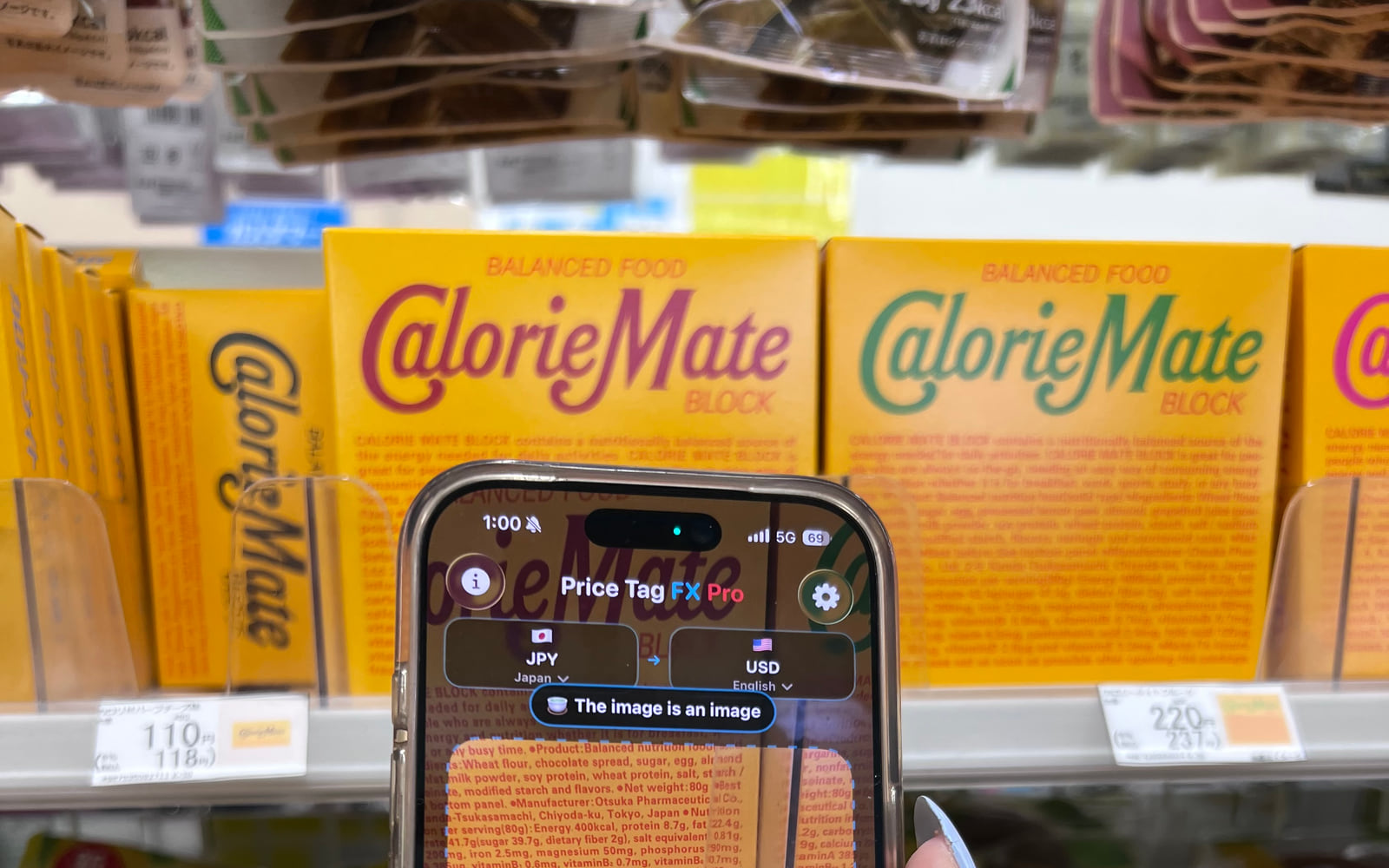
Recognize the main tax labels
The most useful distinction is between the amount before tax and the amount including tax. 税込 literally signals that tax is included. 税込価格 is a longer form used for a tax-included price. 税抜 and 税別 signal that tax is excluded, while 本体価格 often labels the underlying item or base price before tax. The exact placement varies: the included total may sit in parentheses, appear in smaller type, or be placed directly below a larger base figure.
Do not decide from font size alone. Retailers may visually emphasize the pre-tax amount while still providing the total-price disclosure nearby. Conversely, a large sale figure may already include tax. Price Tag FX uses the recognized words around each currency-marked number to assign a role, then ranks likely candidates. Keeping the terms and both amounts in the same frame is therefore more useful than zooming tightly onto the largest digits.
- Look for 税込 or 税込価格 beside one of the yen amounts.
- Look for 税抜, 税別, or 本体価格 beside a second amount.
- Check whether a sale, member, unit, or quantity condition changes the context.
- Compare the tax-included candidate with the amount shown at the register.
- 税込: tax included
- 税込価格: tax-included price
- 税抜 or 税別: tax excluded
- 本体価格: base or item price, commonly before tax
Source: Japan National Tax Agency: total-price display obligation , Japan National Tax Agency: consumption tax information in English
How Price Tag FX compares a tax pair
When the OCR returns several blocks, the parser normalizes the text, searches the active Japanese price-term dictionary, extracts currency-marked amounts, and rejects some strings that resemble scanner noise or barcodes. A candidate labeled tax included receives a stronger ranking than a tax-exclusive or base amount. The app can also recognize a plausible relationship between a lower Japanese base amount and a higher tax-included amount as supporting evidence.
That ranking is not a tax calculation engine. The app does not determine which statutory rate applies to a product, whether a transaction is exempt, or how a retailer rounds tax. It only interprets the text and numerical relationship visible in the image. When a tax-exclusive amount is primary, Price Tag FX can warn that the final price may be higher. When both appear, inspect both instead of hiding the secondary amount.
- Select Japan, JPY, and the desired output language.
- Scan the complete label and wait for the result to stabilize.
- Use Freeze if the smaller parenthetical amount is blurry.
- Read the role title above each original and converted amount.
- Treat the warning as a prompt to verify, not as a computed tax bill.
- The app favors explicit words over guessing from number size.
- OCR confidence and competition between multiple candidates affect the final rank.
- A converted value reflects the selected source amount, so selecting the wrong tax role also changes the conversion.
Separate tax status from discounts and membership
Tax status answers whether consumption tax is included in a displayed amount. It does not answer whether you qualify for that amount. A tag can combine 税込 with 会員価格, meaning the displayed member price includes tax but may still require membership. A time sale may show a tax-included promotional total next to a tax-included regular price. A unit price can also be tax included while describing 100 grams rather than the package.
Read the app’s role and the original tag together. If the role says member price, look for a store card or app condition. If it says unit price, identify the quantity basis. If the app estimates a percentage discount, remember that it derived the estimate from visible text; it did not query the retailer’s promotion system. Tax included is only one part of the checkout decision.
- Tax included plus member price can still require eligibility.
- Tax included plus unit price may not be the package total.
- A regular and sale pair can both include tax.
- Coupons, points, and multibuy rules may be applied only after another action.
Convert the correct yen amount and verify checkout
Once you have identified the likely payable yen amount, the app converts it using a cached Frankfurter rate snapshot. The result is useful for deciding whether a purchase fits your travel budget. It is not the exact amount that will appear on a card statement because payment providers can use different timing, reference sources, spreads, and fees.
At checkout, compare the register total in JPY before considering the home-currency estimate. If the merchant offers to charge your home currency, that is a separate dynamic currency conversion decision with its own rate and possible markup. Price Tag FX does not evaluate the merchant’s offer or choose a payment currency for you. Read the terminal carefully and use your issuer’s terms for the final cost.
- Confirm that the selected original amount is tax included when that is the price you need.
- Compare the register total with the tag in yen.
- Review any merchant home-currency offer separately from the app’s estimate.
- Keep the receipt if the shelf and register amounts differ.
What this workflow cannot confirm
- This guide explains visible retail labels and is not Japanese tax, legal, or accounting advice.
- The app does not determine the legally applicable tax rate or calculate a missing tax total from product category rules.
- OCR may associate a tax term with the wrong nearby amount on a crowded tag.
- Store promotions, membership, coupons, deposits, points, and quantity conditions can change checkout independently of tax status.
- Exchange-rate estimates do not include card or merchant fees.
- The register and official store disclosure remain authoritative.
Troubleshooting
Only the base amount is detected
Back up slightly so the smaller tax-included figure and its label are inside the scan area, then use Freeze.
The app labels the wrong number as tax included
Reframe one label at a time, reduce glare, and compare the original 税込 text beside each amount manually.
The yen value appears but conversion is unavailable
Connect to the internet and refresh a JPY rate snapshot, or choose a target currency covered by the existing cache.
The checkout amount still differs
Check membership, quantity, coupon, deposit, and promotion conditions, then ask the retailer which displayed figure applies.
Frequently asked questions
Does Japan require tax-included consumer prices?
Japan’s National Tax Agency describes a total-price display obligation for prices presented to consumers. A pre-tax figure may still appear alongside the tax-included total, so read the complete display.
Will Price Tag FX calculate Japanese consumption tax?
No. It recognizes visible tax terms and ranks printed amounts. It does not decide tax category, statutory rate, exemption, or retailer rounding.
Why can the smaller text be the final price?
Some layouts emphasize the base amount and place the tax-included total in smaller type or parentheses. The words next to each number are more important than size alone.
Should I pay in yen or my home currency?
That depends on the rates and fees offered by the merchant and your payment provider. The app’s estimate is not a recommendation and does not evaluate dynamic currency conversion terms.
Take the workflow with you
Try Price Tag FX while you shop.
Free to try, with manual conversion and optional non-renewing Pro access.